
Hiya: Spam Blocker & Caller ID
HiyaCommunication
3.974.41K Reviews
- Version
- 15.0.7
- Installs
- 10.00M
- Age Rating
- Everyone
Screenshots
Our Review of Hiya: Spam Blocker & Caller ID
 Analysis by Appyee
My first test of Hiya: Spam Blocker & Caller ID starts with a familiar annoyance: an unfamiliar number interrupts the day, and I have to decide whether answering is worth the risk of another sales pitch or robocall. Hiya is a communication app from Hiya that tries to make that decision easier by identifying callers and filtering unwanted calls. I see its value less as a replacement for the phone app and more as a screening layer between an incoming call and my attention.
From an unexpected ring to a more informed choice
I start with the moment an unfamiliar number interrupts something I’m doing, because that is where Hiya’s caller screening can be useful—and where a label should remain a clue, not a verdict. The next section looks at the choices involved in getting the app ready and deciding how much of that call-handling role to hand over.
Getting the call screen ready
Getting started with Hiya is a breeze. After downloading from the app store, installation is straightforward. The interface is user-friendly, and I was up and running in minutes. You’ll need to allow the app access to your contacts and phone calls, which is pretty standard for apps like these. Once you’re set up, Hiya provides a quick tutorial on navigating its features, which is super helpful for first-timers.
That initial setup is also the point to slow down and make deliberate choices. Caller identification and call blocking depend on the app being able to participate in how calls are handled, so I would read each prompt rather than approving everything on autopilot. If you are cautious about granting access to call-related information, take time to understand the options shown on your device and decide whether the convenience is worth it for you. You can still use your phone’s built-in call controls if you prefer not to add another layer.
Hiya is free to install, rated for Everyone, and has an average rating of 4.0 from around 263,000 ratings. Its 10 million-plus installs suggest it is a familiar choice for people looking for caller screening, but popularity alone cannot tell you whether its caller labels will be useful for the numbers you encounter. I would treat the first few days as a chance to see how it handles your own call mix, rather than expecting a filter to recognize every unwanted caller immediately.
How identification and blocking fit into a normal day
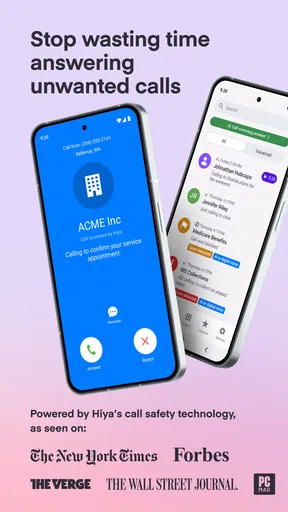
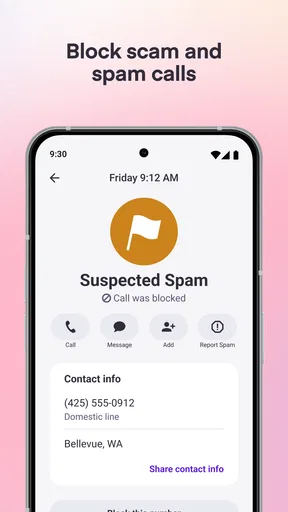
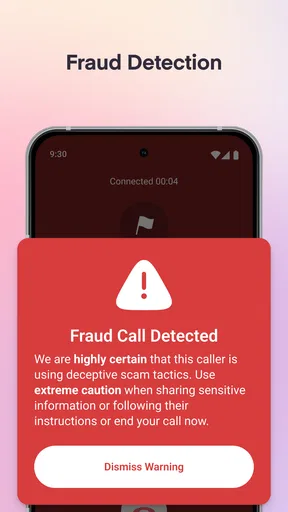
The app’s main feature is its spam blocking capability. Hiya uses a massive database to identify and block unwanted calls. I’ve been using it for a week, and I must say, the difference is noticeable. Those pesky robocalls have significantly reduced. It’s like having a personal call filter.
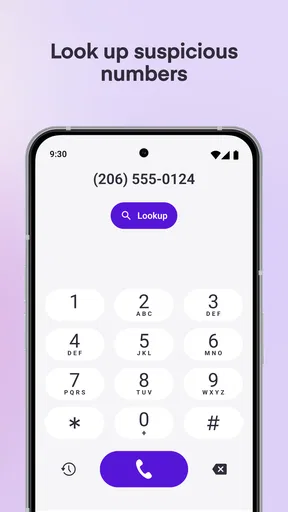
Another neat feature is the caller ID. When an unknown number pops up, Hiya attempts to identify it. While it doesn’t always get it right, it’s accurate more often than not. I found this particularly useful when screening calls from business numbers or service providers.
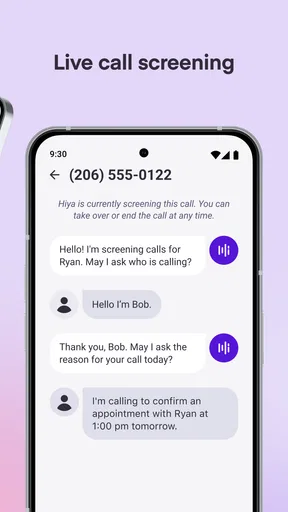
For a realistic example, imagine waiting for a delivery update while also dealing with repeated calls from unfamiliar numbers. The useful outcome is not simply “block every unknown caller”; it is being able to pause, look at the identification presented, and make a more informed choice. If a call looks relevant, answer it or check it through another route. If it looks suspicious, letting it go unanswered may be the safer move. That small pause is where caller ID can help most, especially when an unknown call could be legitimate.
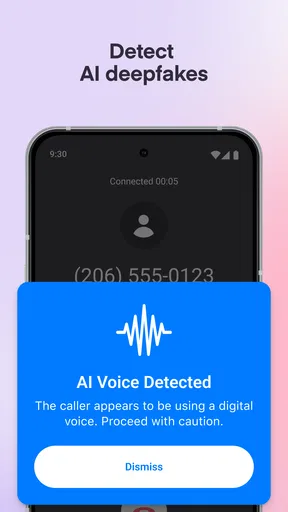
My practical tip is to avoid treating a label as proof of identity. Caller identification is a clue, not a guarantee that the person on the other end is who they claim to be. For anything sensitive—banking, account access, or personal details—I would end the call and contact the organization through a number I already trust. This makes the app useful for triage without turning it into a security authority.
What happens after a call is flagged
Performance-wise, Hiya runs smoothly without noticeably draining my battery, which is a huge plus. No one wants a call management app that kills their phone before lunch, right? The app’s design is intuitive, making navigation a breeze. Whether you’re managing blocked numbers or checking call logs, everything is just a tap away.
One of the standout features is the community-based reporting. Users can report spam numbers, helping others in the process. It’s like a crowd-sourced effort to keep our phones spam-free. I find this aspect really cool because it adds a layer of reliability and community trust to the spam filter.
That shared reporting creates a useful handoff: one person’s experience with an unwanted caller can help another person make a decision later. It also means I would not assume that a newly used or uncommon number will already be recognized. If a suspicious call gets through, reporting it can contribute to the broader filtering effort; if a legitimate caller is misidentified, I would avoid relying on that label in future decisions. The system is most helpful when users treat reports as signals rather than perfect verdicts.
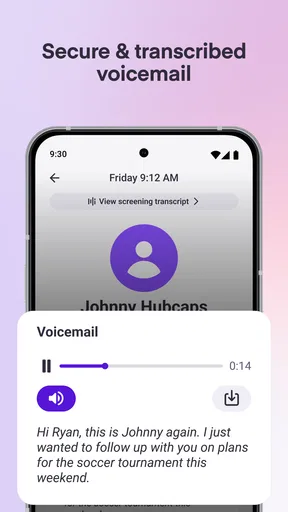
Hiya also sits alongside the phone’s own call history and controls, rather than replacing the need to follow up. If you miss a call that might matter, check the number and any voicemail before deciding it was spam. A caller ID result can help prioritize what to investigate, but it cannot tell you whether a message is urgent or whether the caller will try again. Keeping that distinction in mind prevents a convenient filter from becoming a reason to overlook an important call.
Where it differs from built-in controls and other habits
Compared with relying only on a phone’s built-in blocking tools, Hiya is most appealing when I want help identifying unknown callers before I decide what to do. Built-in controls are often enough if I only need to silence or block a few specific numbers; they are simpler and do not ask me to learn another app. Hiya makes more sense when unwanted calls come from changing numbers and I want identification and community reporting to inform my screening.
It is not a complete substitute for voicemail, a contact list, or careful call-back habits. A phone’s native spam warnings may be a better fit for someone who wants the fewest moving parts, while manual blocking may suit a person who receives only occasional nuisance calls. I would choose Hiya when repeated unknown calls are a genuine interruption and I am willing to check its results, not when I expect it to make every call decision correctly on my behalf.
There is also a practical trade-off in how aggressively you screen. Blocking more broadly may reduce interruptions, but it can increase the chance that a useful call from a new number is missed. If you are expecting a job interview, medical office, school, or service technician to call, consider how your settings and answering habits could affect those calls. A cautious approach—using caller information to decide whether to answer, while checking missed calls afterward—can be more suitable than treating every unknown number as unwanted.
Limits, connectivity, and choosing a plan
While Hiya offers a free version, there’s also a premium option. The free version works well, but if you’re looking for more advanced features like automatic updates to the spam database, the premium might be worth considering. Personally, I found the free version sufficient for my needs.
The app’s current version is 14.7.5-11717, and it supports Android 6.0 and later. In-app purchases range from $1.99 to $24.99 per item. I would begin with the free experience and only consider paying after noticing a specific limitation that matters to my routine. A subscription or purchase is not automatically worthwhile simply because it exists; the right question is whether the extra capability would solve a recurring problem you actually have.
One thing to keep in mind is that Hiya relies on internet connectivity for some of its functions, like updating its spam database. So, if you’re in an area with poor internet, some features might not work as efficiently.
That connectivity dependence is worth considering if you travel, work in places with unreliable service, or often use your phone where data access is limited. I would not assume that every identification result is current when the app cannot refresh information. In those moments, basic judgment still matters: let an uncertain call go to voicemail if you can, then follow up through a trusted route if it seems important.
Who will appreciate it—and who may prefer less
Hiya is a good fit for people who regularly receive unwanted calls, want a quick clue about unfamiliar numbers, and are comfortable giving a caller-management app a role in their daily phone routine. It can also help anyone who handles calls while busy and needs a fast way to decide whether to interrupt a meeting, meal, or commute. For those users, the combination of identification, blocking, and shared reports offers more context than manually dismissing every unknown number.
I would skip it if you rarely get spam, strongly prefer not to grant call-related access to a third-party app, or want a filter that never makes mistakes. It is also a poor match for someone who plans to silence all unknown callers without checking missed calls: important organizations often call from numbers you have not saved. If that is your main concern, the phone’s built-in settings and voicemail may be enough, with less setup and fewer decisions.
For troubleshooting, I would first check whether the app is configured as intended on the device and whether it has the access needed for the caller features I chose. If identification seems inconsistent, I would also consider whether connectivity could be affecting refreshed information and avoid assuming that a single missed label proves the app is failing. These checks are more useful than expecting a caller-ID service to recognize every number or eliminate every unwanted call.
A calmer call routine, with judgment still required
Overall, I’m really impressed with Hiya: Spam Blocker & Caller ID. It’s effective, user-friendly, and most importantly, it significantly cuts down on spam calls. While it might not catch every single unwanted call, the reduction is substantial enough to make a difference. If you’re on the fence about trying it, I’d say go for it. After all, who wouldn’t want a bit more peace and quiet in their phone life?
So, ditch those annoying robocalls and give Hiya a whirl. It might just be the app you didn’t know you needed!
Verdict
Strengths of Hiya: Spam Blocker & Caller ID
- Effective spam call blocking.
- Accurate caller ID features.
- User-friendly interface.
- Customizable settings.
- Minimal battery usage.
Limitations of Hiya: Spam Blocker & Caller ID
- Premium features require subscription.
- Occasional false positives.
- Limited features for free users.
- Needs regular database updates.
- Some ads in free version.
Other Releases by Hiya
View All
Mr. Number: Spam Call Blocker
Communication3.9
Similar Picks in This Category
View All
Google Messages
Google LLC4.6

Gmail
Google LLC4.1

Google Meet
Google LLC4.4

Google Chrome
Google LLC4.1

WhatsApp Messenger
WhatsApp LLC4.6

Carrier Services
Google LLC4.2
Frequently Asked Questions
What features does Hiya: Spam Blocker & Caller ID offer?
Hiya offers robust features including real-time spam call blocking, caller ID identification, and a comprehensive spam database. It can automatically block unwanted calls and alert you about potential spam. Additionally, it provides reverse phone lookup and personalized block lists to enhance user experience and control.
Is Hiya available for both Android and iOS devices?
Yes, Hiya is available for both Android and iOS platforms. It can be downloaded from the Google Play Store for Android devices and the Apple App Store for iOS devices. Both versions offer similar functionality, ensuring a consistent experience across different operating systems.
Does Hiya require an internet connection to function?
Hiya requires an internet connection to update its spam database and download caller ID information. While some features like call blocking might work offline, the app performs optimally with an internet connection to ensure you have the latest spam protection and caller information.
Is Hiya a free app, or does it have a subscription model?
Hiya offers a free version with basic features like spam detection and call blocking. However, there is a premium subscription model that provides additional features such as enhanced caller details, advanced spam protection, and an ad-free experience. Users can choose based on their needs.
How effective is Hiya in blocking unwanted calls and spam?
Hiya is highly effective in blocking unwanted calls, thanks to its extensive database of spam numbers and frequent updates. Users generally report a significant reduction in spam calls. The app's algorithms and user-generated reports help maintain its effectiveness, making it a reliable choice for call management.
